Section 5
Reviewing results — the Preview screen
After an extraction you land on Preview.
After an extraction you land on Preview. This is where you read, verify, and act on a single page's results.
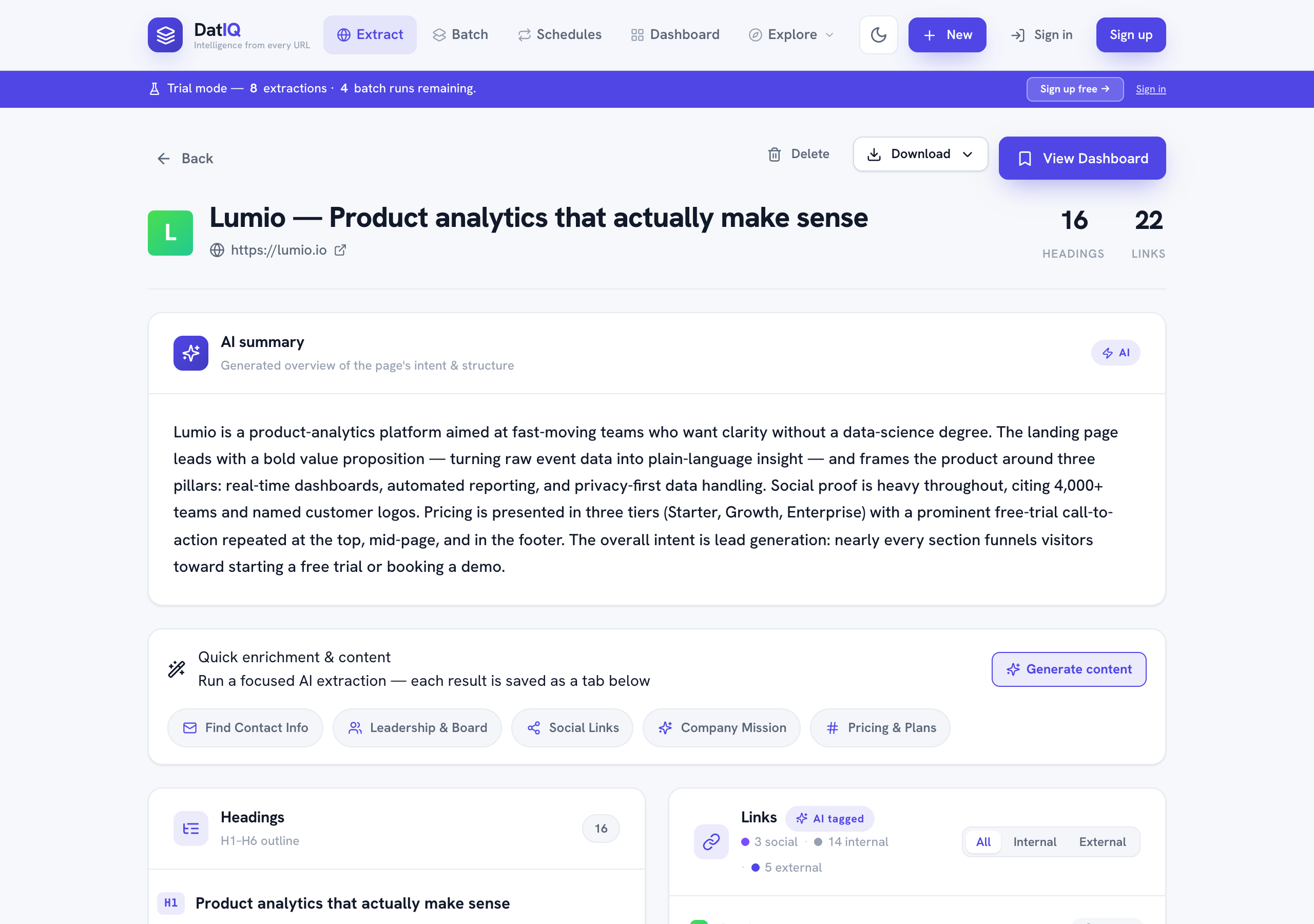
What you'll see:
- Page header — the page title, its URL, and counts of headings and links found.
- AI summary — the generated overview of the page's intent and structure.
- Quick enrichment & content — one-click buttons to pull more out of the page (contacts, leadership, social links, company mission, pricing) and a Generate content button.
- Headings — the full H1–H6 outline, in order.
- Links — every link found, automatically tagged internal / external / social, with filters so you can focus.
Action bar (top):
- View Dashboard — go to your saved archive (the page is already saved).
- Download ▾ — export this page as CSV, PDF, Markdown, or JSON.
- Delete — remove this extraction.